![Cario logo RGB blue-1.png]](https://knowledge.cario.com.au/hs-fs/hubfs/Cario%20logo%20RGB%20blue-1.png?height=50&name=Cario%20logo%20RGB%20blue-1.png)
Purpose
The Reports List in Cario provides access to a wide range of operational, financial, and performance reports across consignments, customers, deliveries, and exceptions.
This article explains how to view, export, and schedule reports so your data can be shared automatically via email, FTP, or SFTP.
Scope
This guide applies to users with access to the Reports module in Cario FMS and covers:
- Navigating the Reports List
- Exporting reports manually
- Scheduling automated reports
- Sending reports via Email, FTP, or SFTP
Prerequisites
Before starting, ensure:
- You have permission to access Reports
- You know which report category you need (e.g. Consignments, Customers, Delivery)
- FTP/SFTP credentials are available if scheduling file transfers
How to Access the Reports List
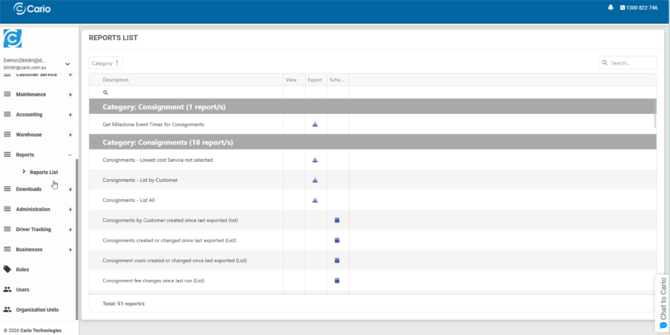
- From the left-hand menu, go to Reports
- Click Reports List
- The Reports List screen will display all available reports grouped by category
Understanding the Reports List
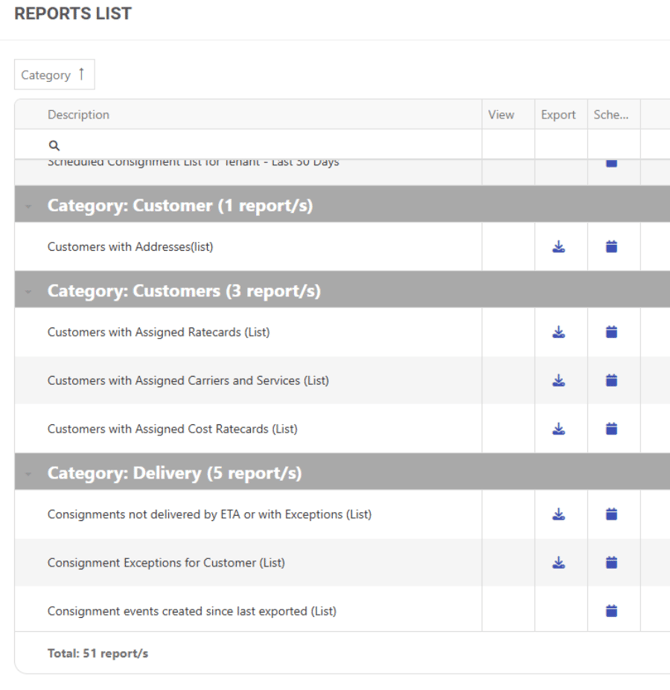
Reports are grouped by Category, such as:
- Consignments
- Customers
- Delivery
- Exceptions