![Cario logo RGB blue-1.png]](https://knowledge.cario.com.au/hs-fs/hubfs/Cario%20logo%20RGB%20blue-1.png?height=50&name=Cario%20logo%20RGB%20blue-1.png)
Purpose
The Descriptions feature in Cario allows you to predefine commonly used delivery, pickup, and special instructions. These predefined descriptions can then be quickly selected when creating consignments, helping ensure consistency, accuracy, and faster booking workflows.
This is especially useful for frequently repeated instructions such as “Call Before Arrival”, “Leave at Door”, or “Pickup at Wing A”.
Benefits
Using predefined descriptions helps you:
- Reduce manual typing when creating consignments
- Minimise errors and typos in instructions
- Maintain consistent messaging across all shipments
- Speed up consignment creation for repeat delivery scenarios
- Ensure drivers receive clear, standardised instructions every time
Description Types Available
Cario supports three types of predefined descriptions:
- Delivery Instructions
- Pickup Instructions
- Special Instructions
Each type appears in a different section of the consignment screen.
Steps to Create Predefined Descriptions
- Navigate to Descriptions
- Log in to Cario
- Go to Maintenance → Descriptions
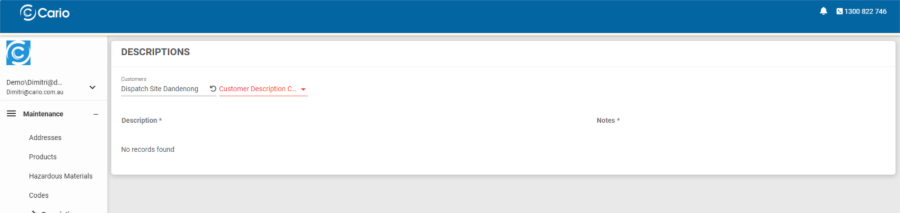
- Select the relevant Customer / Dispatch Site
- Select Description Category
- In the Customer Description Category dropdown, choose one of the following:
- Delivery Instructions
- Pickup Instructions
- Special Instructions
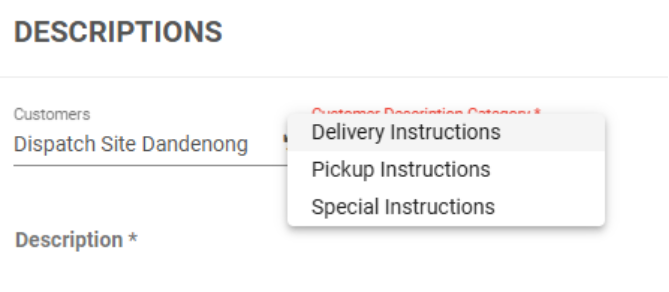
- In the Customer Description Category dropdown, choose one of the following:
- Add a New Description
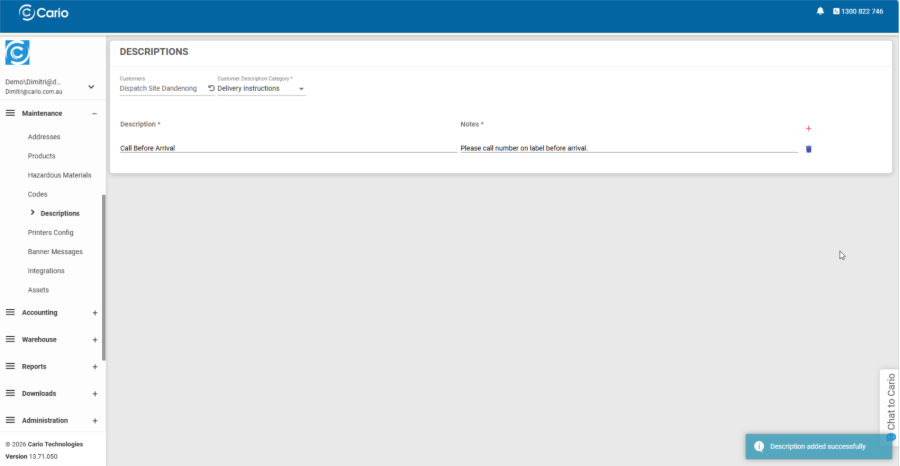
- Click the red plus (+) icon on the right-hand side

- Enter:
- Description – short label shown in dropdowns (e.g. Call Before Arrival)
- Notes – full instruction text shown to drivers (e.g. Please call number on label before arrival)
- Tab out of the fields
- A confirmation banner will appear: “Description added successfully”
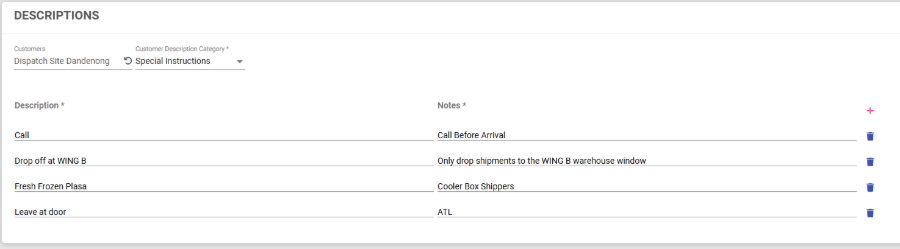
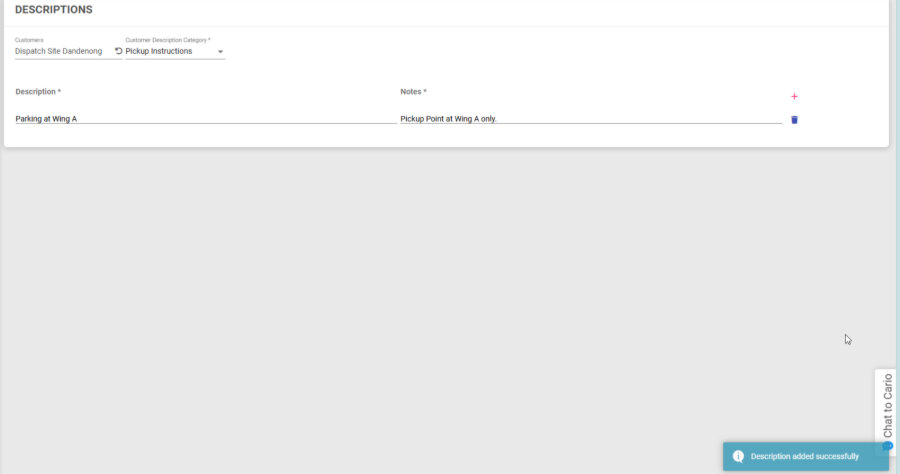
- Click the red plus (+) icon on the right-hand side
You can repeat this process to add multiple predefined descriptions.
Using Descriptions When Creating a Consignment
Special Instructions
- When creating a new consignment, the Special Instructions field will display a dropdown of all predefined special instructions for that customer.
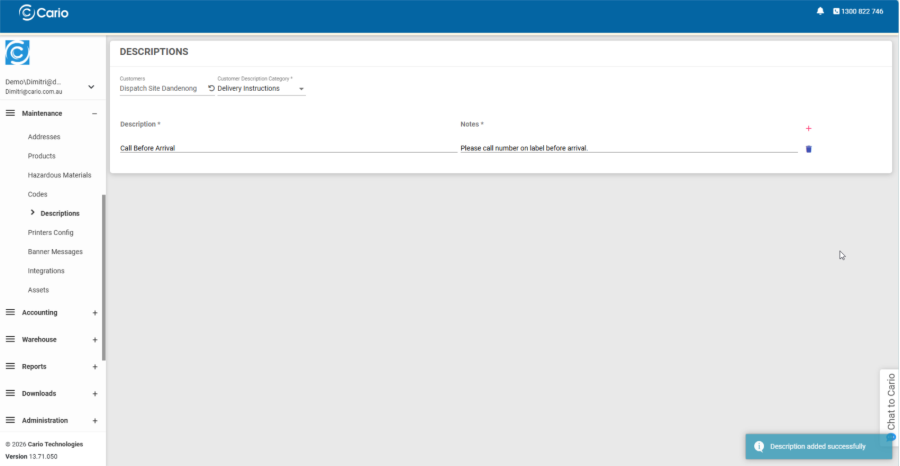
- Selecting an option automatically populates the instruction text.
Delivery Instructions
- In the Deliver To address section, the Delivery Instructions field will also show a dropdown of predefined delivery instructions.
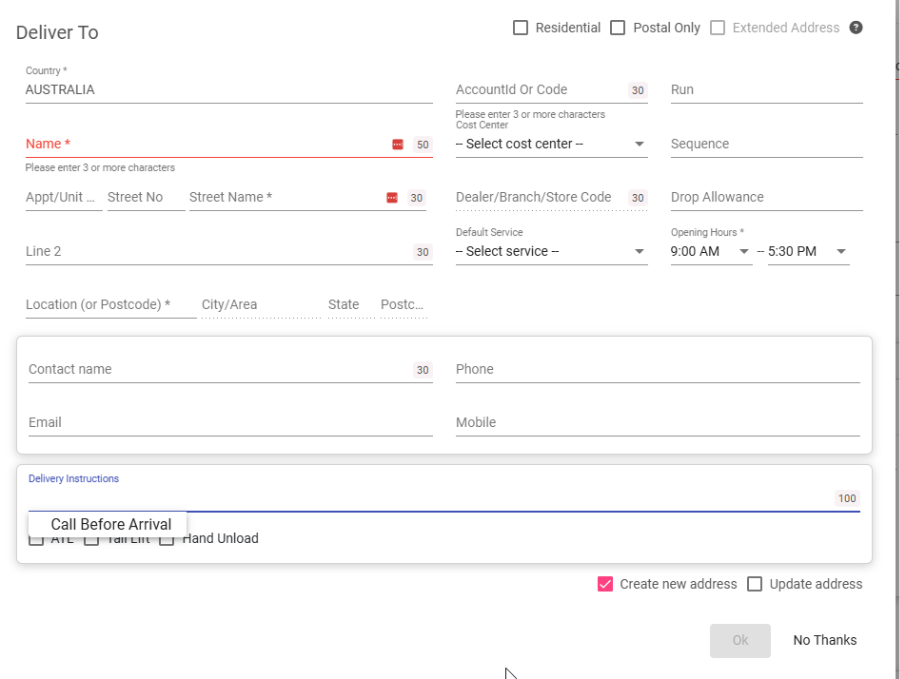
- Selecting one inserts the instruction without manual typing.
This ensures instructions are applied consistently and quickly during consignment creation.
Why Use Maintenance Descriptions?
Predefined descriptions are designed to:
- Save time during high-volume booking periods
- Reduce repetitive data entry
- Improve instruction clarity for drivers
- Standardise operational language across teams and locations