![Cario logo RGB blue-1.png]](https://knowledge.cario.com.au/hs-fs/hubfs/Cario%20logo%20RGB%20blue-1.png?height=50&name=Cario%20logo%20RGB%20blue-1.png)
Purpose
Custom Labels allow you to define additional reference fields that can be captured against consignments. These fields are commonly used for customer-specific references, internal tracking numbers, SOP requirements, or operational identifiers that don’t fit standard consignment fields.
Custom Labels are flexible, optional, and can be exported for reporting and reconciliation purposes.
Key Benefits
- Capture customer-specific reference data (e.g. pick ticket numbers, internal job IDs)
- Align consignments with Account SOP requirements
- Make additional data available in Customer Service exports (CSV) and search
- Improve downstream visibility without changing core consignment fields
- Optional fields — not mandatory for users
How Custom Labels Work
- You can create up to 8 Custom Label fields per customer.
- Each Custom Label appears as a Customer Data field on the consignment screen.
- Values entered into these fields:
-
- Are stored against the consignment
-
- Are included in Export to CSV under Customer Service
- Custom Labels can also be linked to Account-level reference requirements (e.g. SOP-driven references like Pick Ticket Number).
How to Create Custom Labels
Steps to Follow
- Login to Cario
- Navigate to Maintenance → Codes
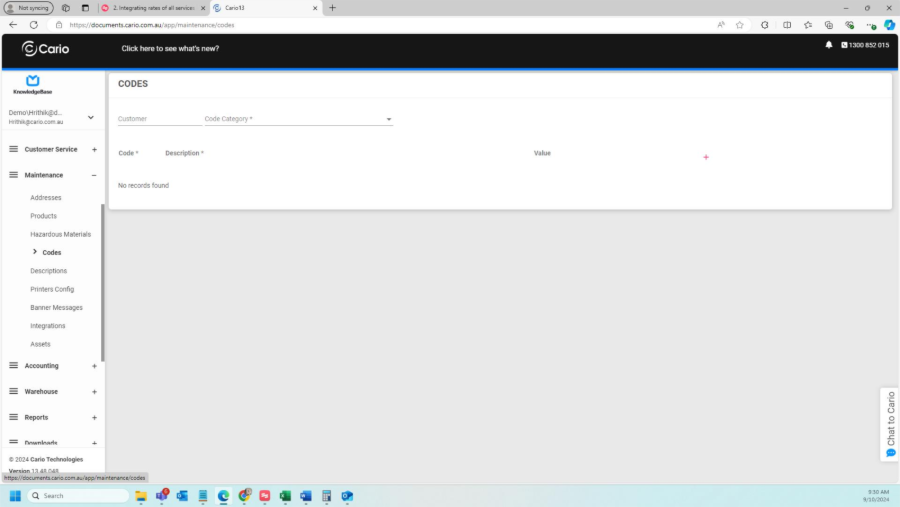
- In the Customer field, search and select the relevant customer
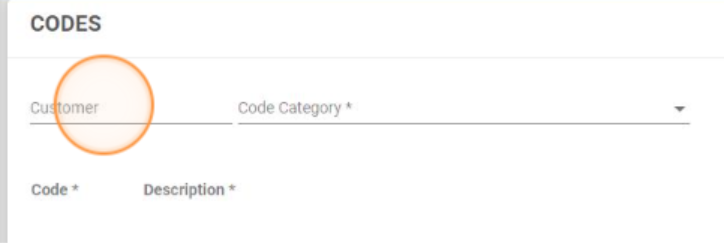
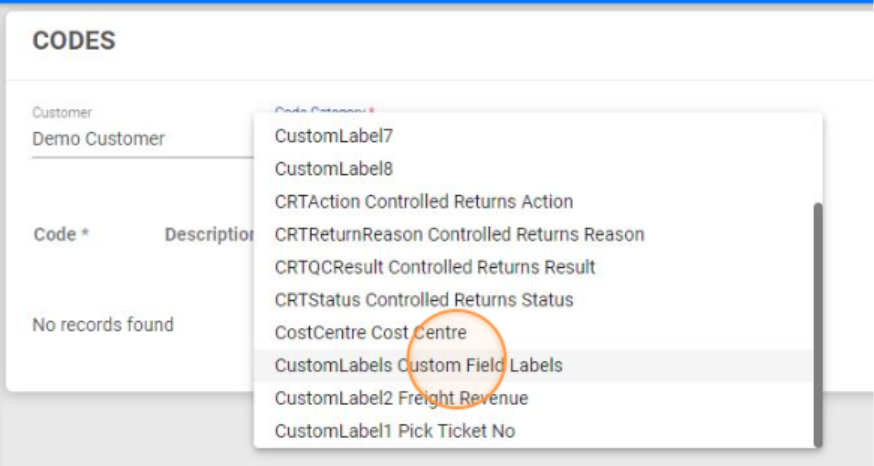
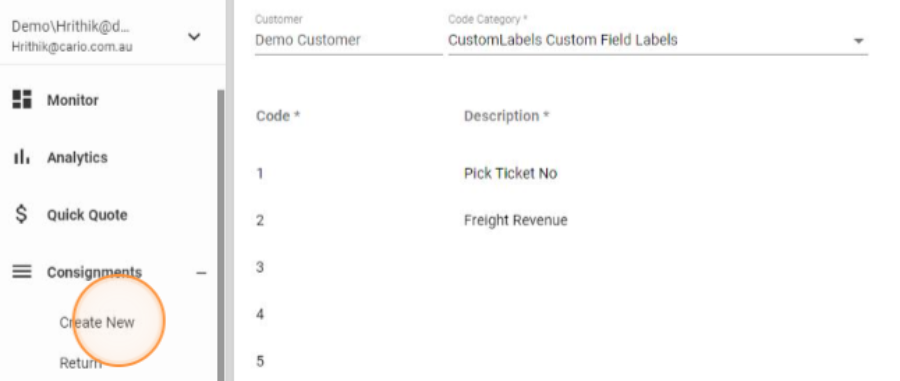
- In Code Category, select Custom Labels
- Click the ➕ (Plus) icon on the right-hand side
- Additional rows will appear
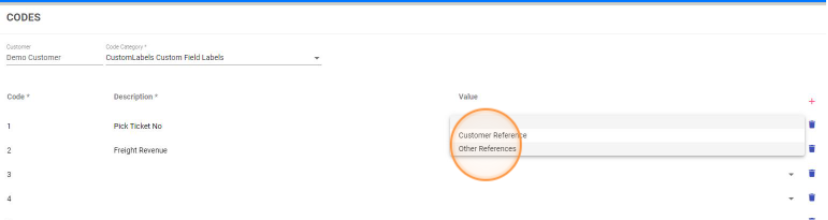
- Additional rows will appear
- Enter a Description for each Custom Label
- Example: Pick Ticket Number, Warehouse Reference, Internal Job ID
- Tab out of the field
- A confirmation message will display:
“Code successfully added”
ℹ️ You can create a maximum of 8 Custom Label fields per customer.
Using Custom Labels on a Consignment
- Go to Consignments → Create New
- Select the relevant customer
- Scroll to the Customer Data section
- Enter values into the Custom Label fields as required
- These fields are optional
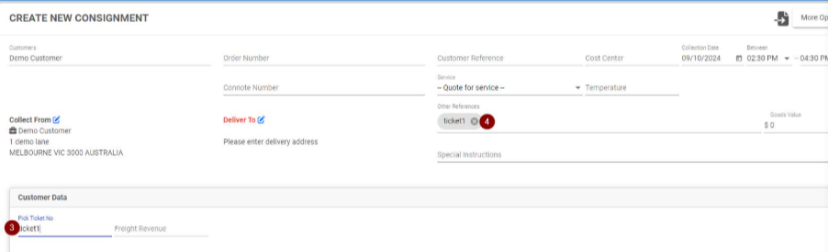
- These fields are optional
- Complete and save the consignment
The entered Custom Label values will now be stored against the consignment.
Exporting Custom Label Data
- Custom Label values are included in Customer Service → Export to CSV
- This allows:
-
- Offline reporting
-
- Reconciliation
-
- Integration with customer systems