![Cario logo RGB blue-1.png]](https://knowledge.cario.com.au/hs-fs/hubfs/Cario%20logo%20RGB%20blue-1.png?height=50&name=Cario%20logo%20RGB%20blue-1.png)
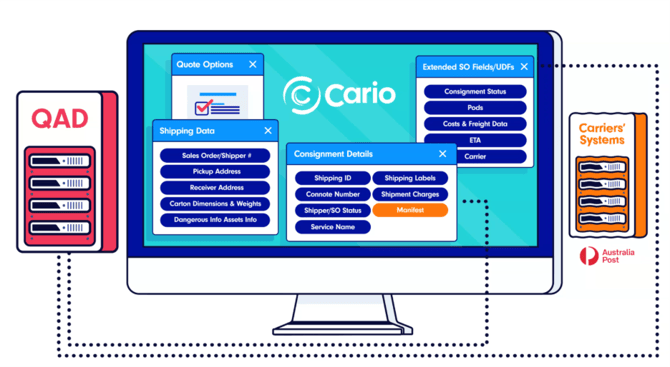
The Order Lookup feature in Cario allows users to create consignments directly from existing orders generated in connected WMS or ERP systems.
Instead of manually entering shipment details, users can simply enter an order number, and Cario will automatically populate the consignment with the relevant information.
What Order Lookup Is Used For
Order Lookup is designed to streamline consignment creation when Cario is integrated with upstream systems such as:
- Microsoft Dynamics 365
- Shopify
- QAD
- Other WMS, ERP, or order management systems
By referencing an existing order, Cario retrieves shipment data directly from the source system.
What Information Is Pulled from an Order
When an order number is entered, Cario can automatically populate:
- Sender and delivery addresses
- Products and item quantities
- Shipment dimensions and weights
- References and order identifiers
This allows users to move from order → consignment in seconds, reducing manual entry and potential errors.
Why Use Order Lookup
Using Order Lookup helps organisations:
- Eliminate duplicate data entry
- Reduce manual errors from rekeying information
- Speed up consignment creation
- Maintain consistency between WMS/ERP and freight data
- Improve overall operational efficiency
This is especially valuable for high-volume shipping environments or businesses processing frequent outbound orders.
How Order Lookup Works (Workflow) 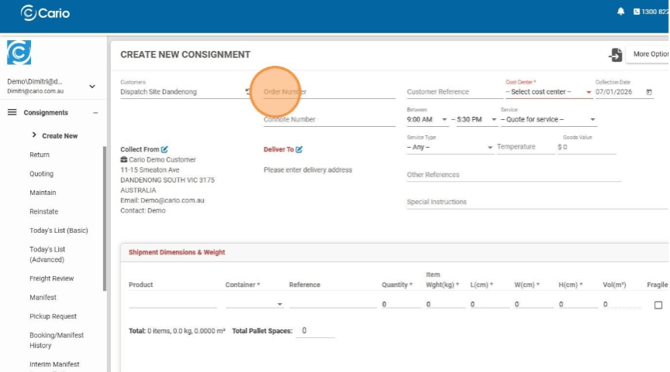
- Start creating a new consignment
- Enter the Order Number in the Order Lookup field
- Cario retrieves the matching order from the integrated system
- Consignment fields are auto-filled with order details
- Review and adjust details if required
- Proceed with carrier selection and booking
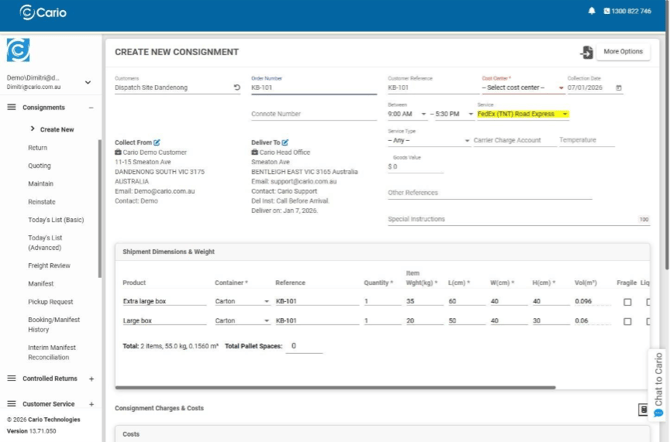
The user retains full control and can override or edit any populated values before booking.
Connote Lookup (Previously Created Consignments)
In addition to order-based lookup, Cario also supports Connote Lookup. 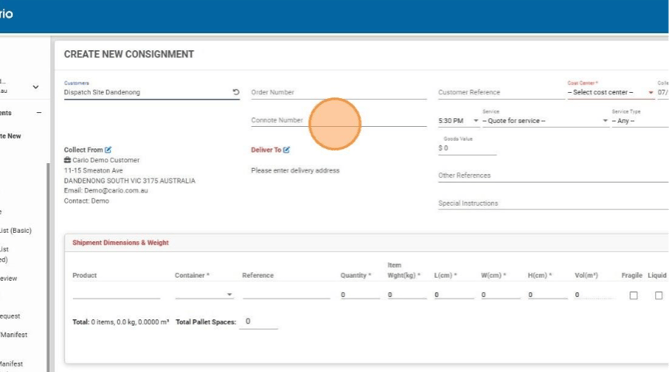
This allows users to:
- Search for previously created consignments using a connote number
- Quickly retrieve shipment details
- Review, track, or reference historical consignments
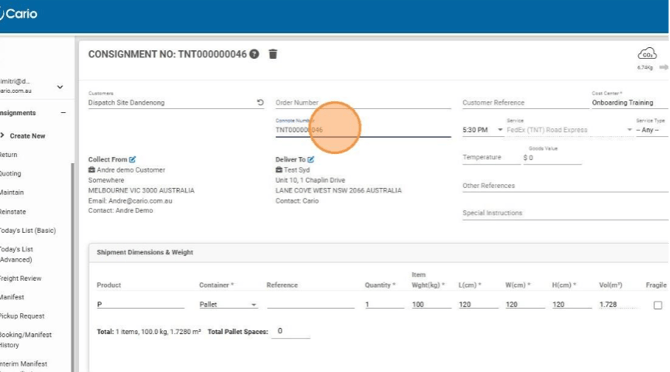
Connote Lookup is useful for customer enquiries, reprints, tracking, or auditing purposes.
Key Things to Note
- Order Lookup availability depends on active system integrations
- Retrieved data reflects the source system at the time of lookup
- Users can still manually edit consignment details after lookup
- Connote Lookup does not create a new consignment, but retrieves an existing one