![Cario logo RGB blue-1.png]](https://knowledge.cario.com.au/hs-fs/hubfs/Cario%20logo%20RGB%20blue-1.png?height=50&name=Cario%20logo%20RGB%20blue-1.png)
Purpose
This article explains how to configure and use Third-Party Carrier Charge Accounts in Cario.
This feature allows freight charges to be billed directly to the receiver’s carrier account, rather than the sender’s account.
It is commonly used when:
- The receiver has negotiated their own carrier rates
- Freight is sent on a receiver pays basis
- Customers require flexible billing arrangements
Overview
Cario supports third-party carrier billing by allowing users to:
- Enable third-party charging at a customer level
- Apply a carrier charge account during consignment creation
- Save carrier charge accounts against receiver addresses for reuse
This ensures accurate billing, reduces manual rework, and supports flexible freight arrangements.
Part 1: Enable 3rd Party Carrier Charges (Administration Setup)
Before using third-party billing, the feature must be enabled for the customer.
Steps
- Navigate to Administration → Customers
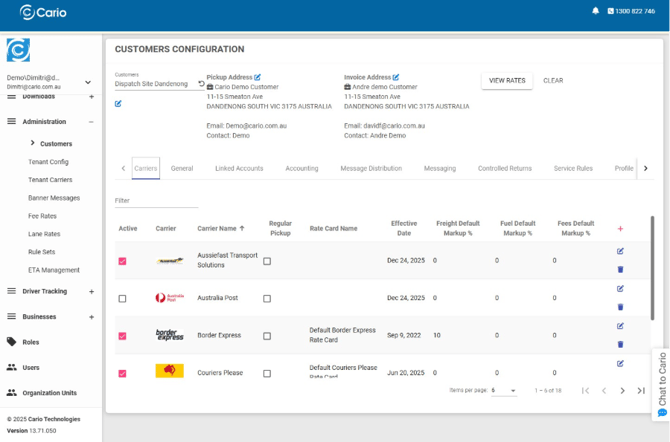
- Select the relevant Customer
- Open the General tab
- Enable the following options:
- ✅ Allow Third Party Charges
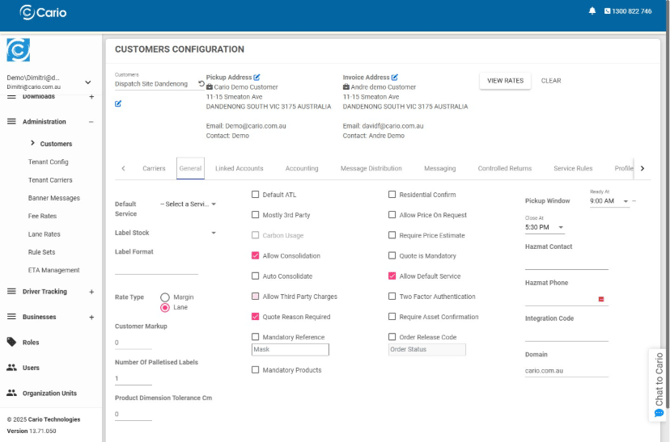
- ✅ Allow Default Service (recommended)
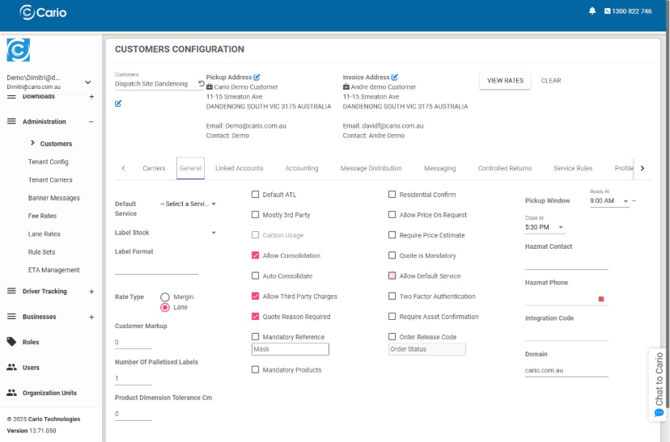
- ✅ Allow Third Party Charges
- Click Save
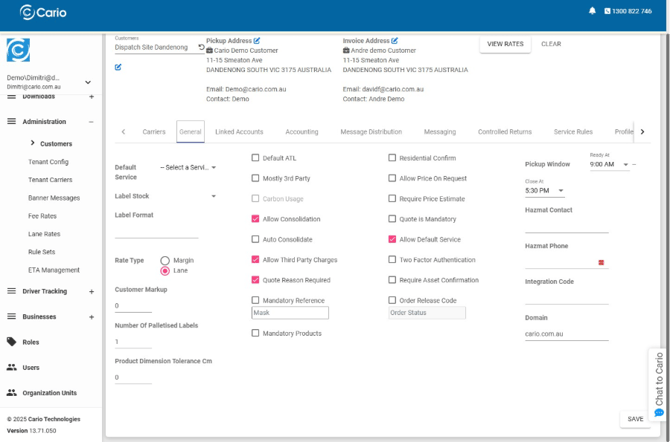
ℹ️ If Allow Third Party Charges is not enabled, the carrier charge account field will not appear during consignment creation.
Part 2: Use a 3rd Party Charge Account in Create New Consignment
Once enabled, users can apply a receiver-paid carrier account when creating a consignment.
Steps
- Navigate to Consignments → Create New
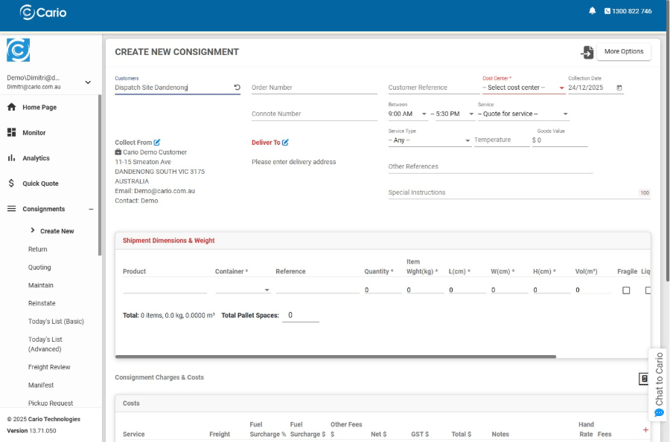
- Complete standard consignment details:
- Customer
- Collection and delivery addresses
- Shipment dimensions and weight
- Select a Carrier Service
- Enter the receiver’s Carrier Charge Account Number
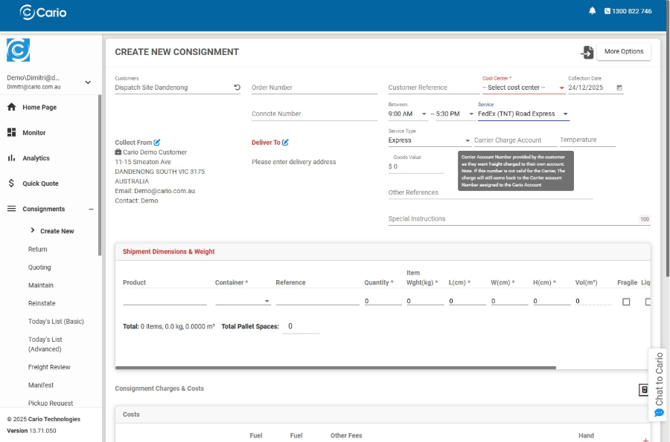
- Complete the remaining consignment details
- Click Save
Important Notes
- Carrier account numbers are validated by the carrier, not Cario
- If the account number is invalid, charges may still default back to the sender
- Always confirm the account number with the receiver before shipping
Part 3: Save a 3rd Party Charge Account Against an Address
To streamline future consignments, carrier charge accounts can be saved at an address level.
Steps
- Navigate to Maintenance → Addresses
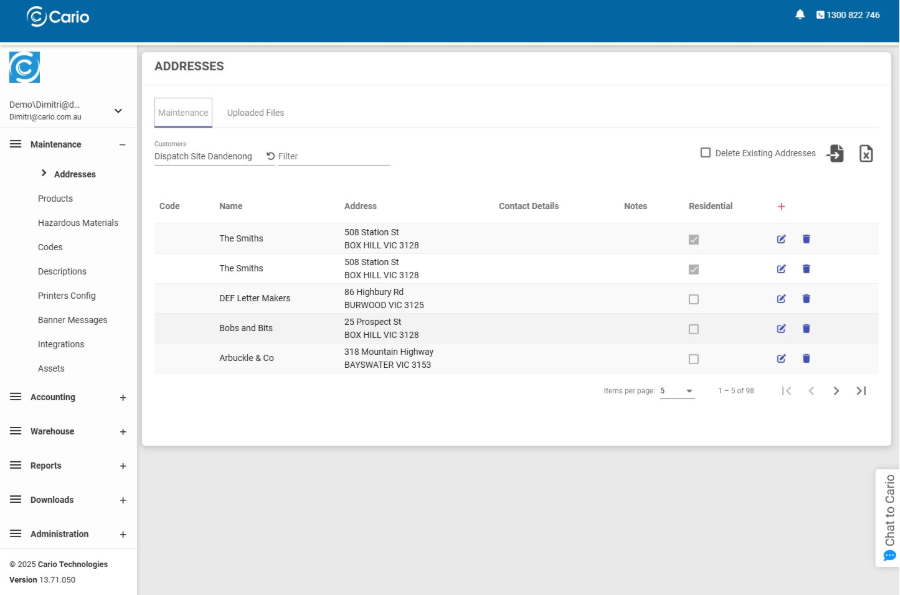
- Edit the address
- Enter the Carrier Charge Account Number
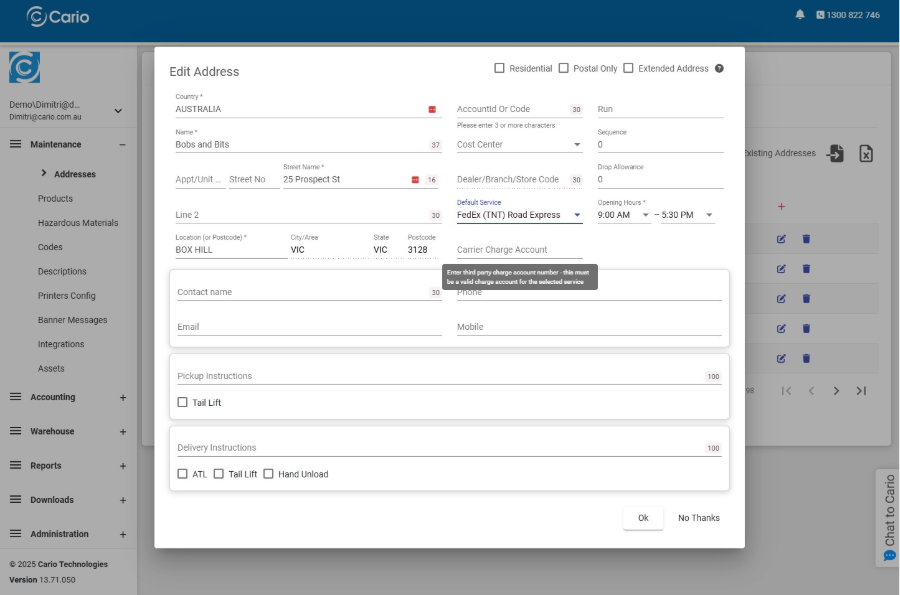
- Click Ok
Result
- The carrier charge account will automatically populate when this address is selected
- Reduces repetitive data entry
- Minimises billing and booking errors
Best Practice
- ✔ Confirm the carrier service supports third-party billing
- ✔ Save carrier charge accounts against addresses for repeat receivers
- ✔ Validate carrier account ownership with the receiver
- ✔ Use consistent carrier services to avoid booking failures